 photoartflight
Making Panoramas With Fisheye Lenses
Posted on February 12, 2022

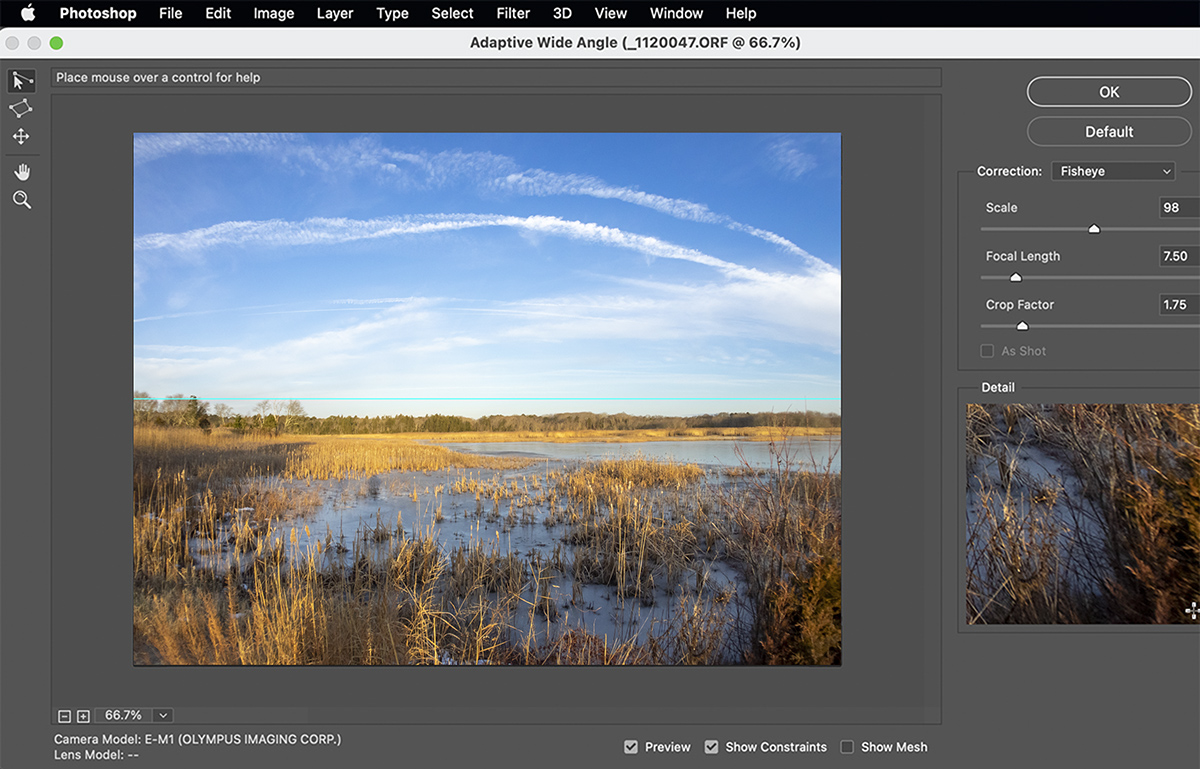
One of my favorite lenses for shooting images for panoramas is the 7 Artisans 7.5mm Fisheye lens for m43 cameras. It is supposed to have a 190 degree Field of View on a m43 camera but I believe it is a little less than that. But for shooting panoramas it really does not matter and is wide enough for my needs. But using a Fisheye lens for multi-image panoramas you have to de-fish the fisheye lens images before you blend the images for the final panorama. I do this in Photoshop using the Adaptive Wide Angle (Filter > Adaptive>Wide Angle.) All Images here were taken at the Brigantine Division of the Edwin B. Forsythe NWR in Oceanville NJ.
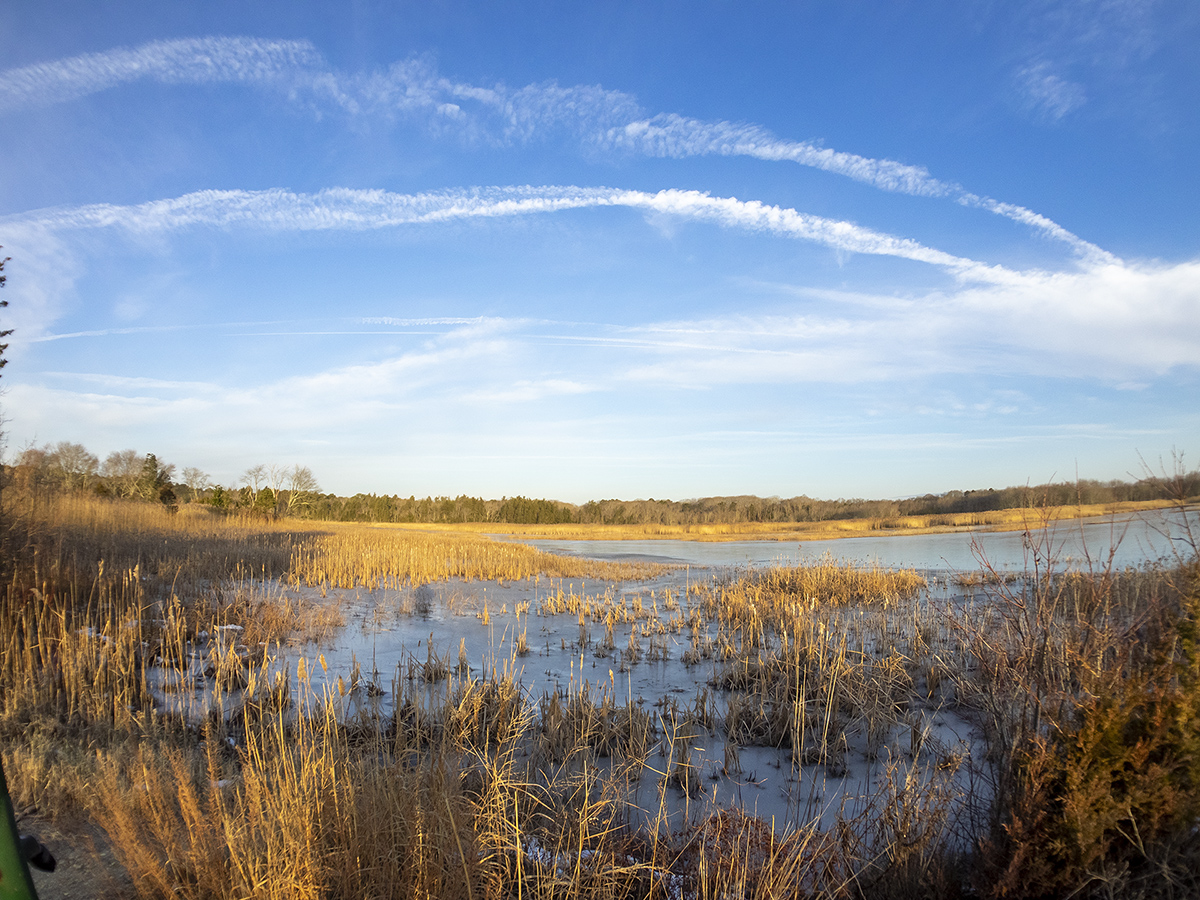
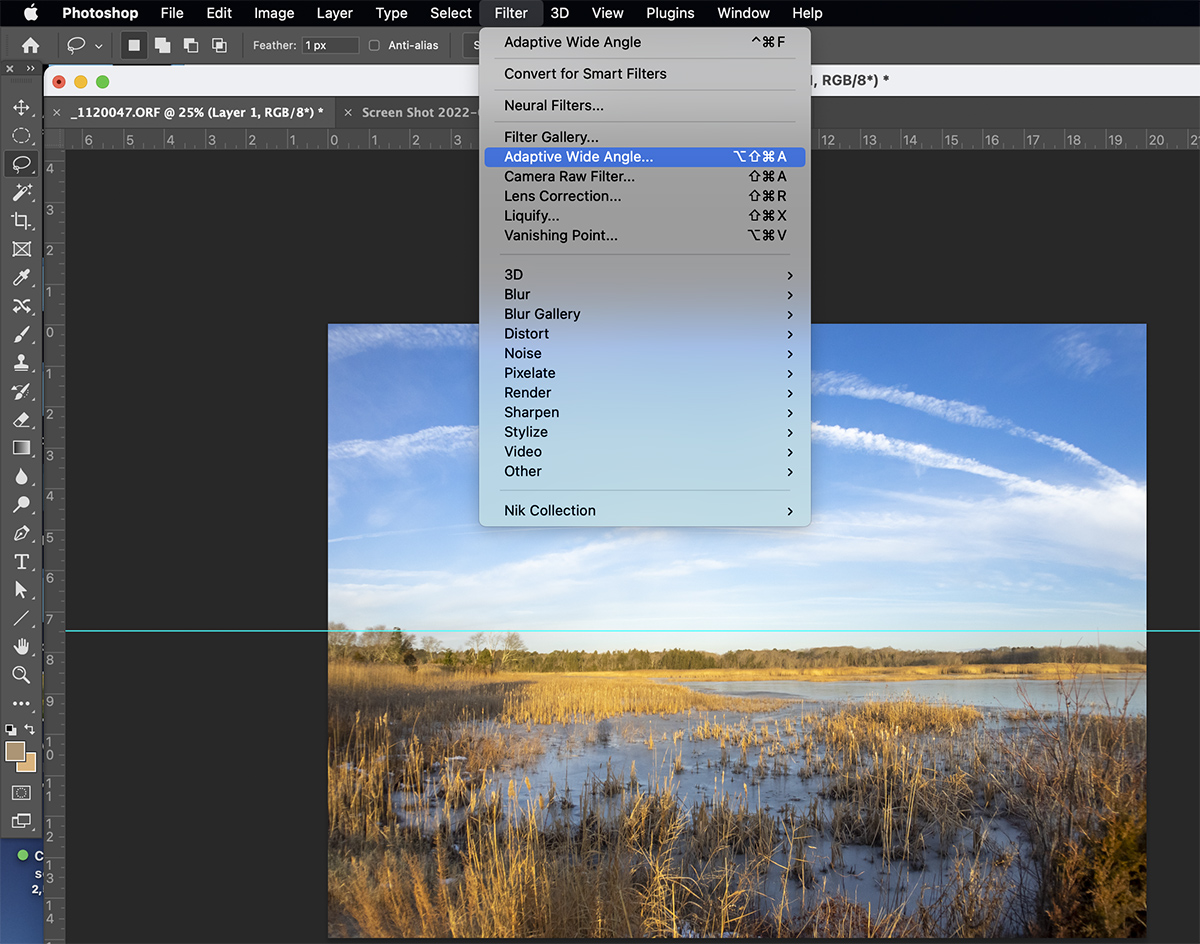
It might take a few tries before you get the “Feel” for using the Adaptive Wide Angle Filter for correcting the distortion in Fisheye lenses. Also it is pretty much setup for Full Frame Cameras so on m43 cameras (or any other format besides Full Frame you have to experiment on entering Focal length, etc. You would think Adobe would have a setting for Camera Format.

 photoartflight