 photoartflight
Green Darner Dragonfly Laying Eggs In Small Pond
Posted on May 29, 2020
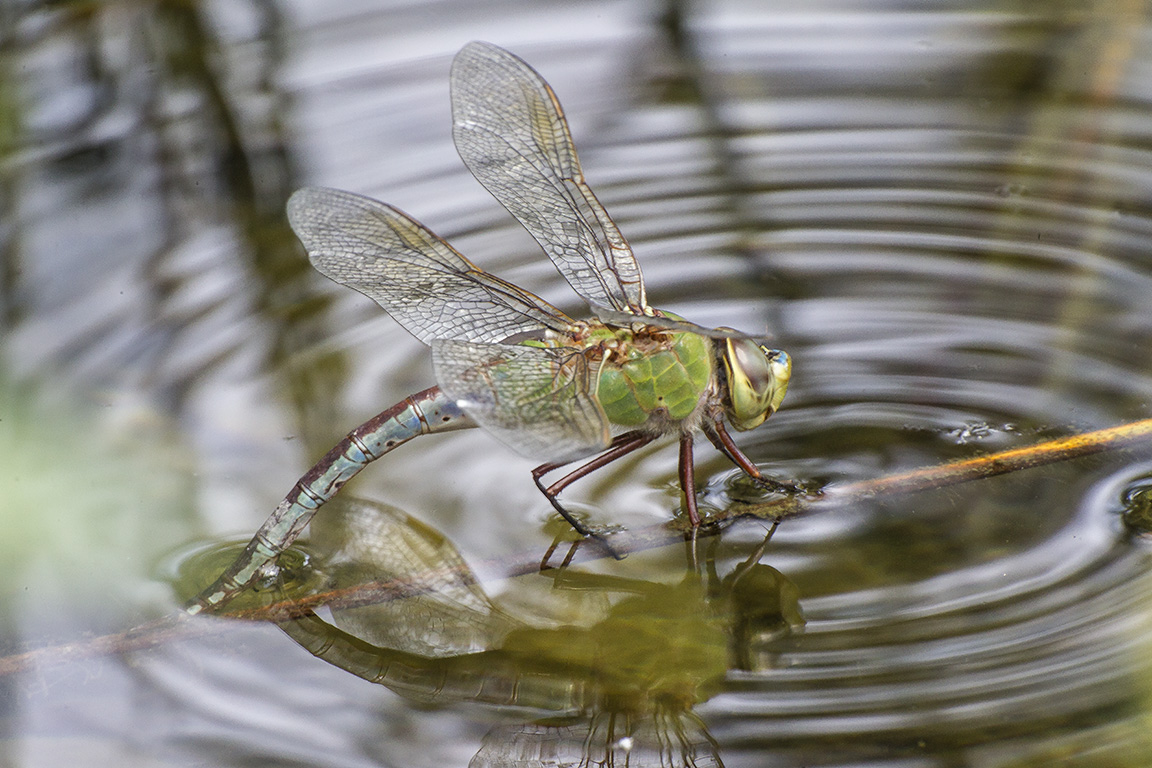
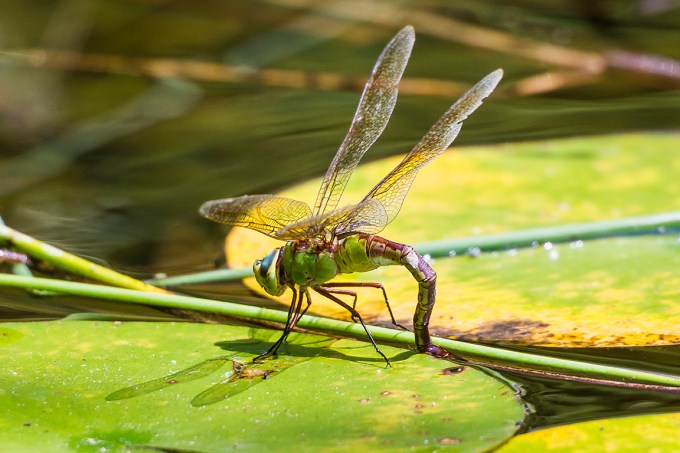
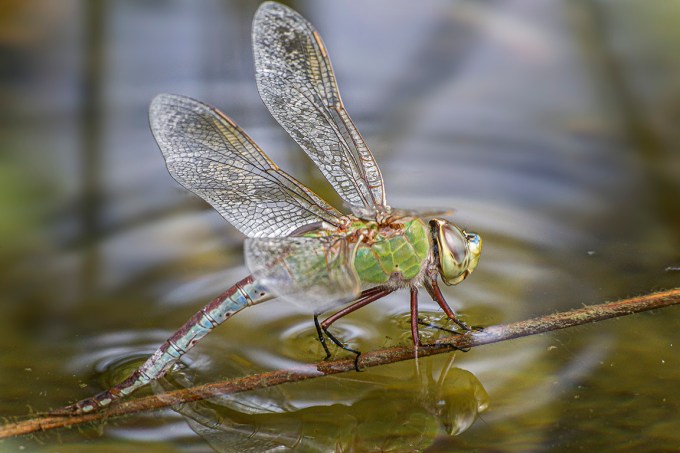
I was photographing this female Green Darner dragonfly that was busy laying eggs in a small pond. It spent a large amount of time doing this so I had plenty of time to photograph the activity. It covered a very large area in this fairly small pond. The featured image is a 2 image panorama to get the reflection of the Darner in the image also. The Darner seemed to be spreading the eggs in a very wide area around the small pond. I was using a Canon 400mm DO lens & some images were shot with an extension tube to focus this close on the female Darner dragonfly when it came too close for my minimum focus distance.



A Different Kind Of Panorama
Posted on May 11, 2020
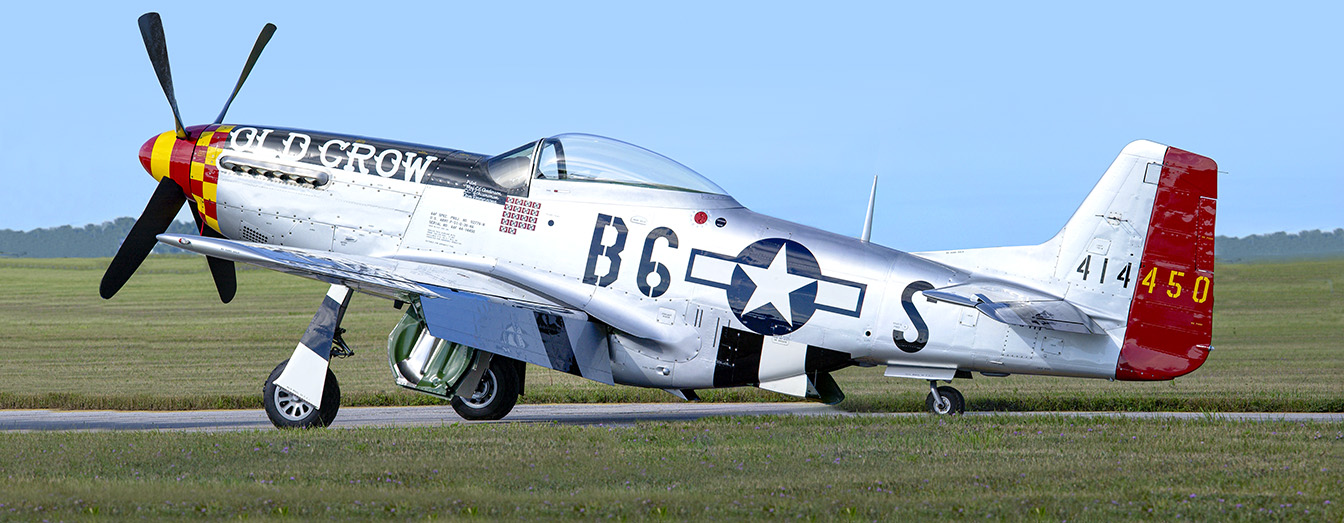
A different kind of panorama taken at an airshow in Michigan many years ago. I am going through old backup drives cleaning up files and getting rid of images not needed freeing up more storage space for more recent images. Here I was using a 100 – 400mm lens the entire day. When I came upon this P51D Mustang without a lot of people around it, I shot 4 shots @ 100mm. I aligned & assembled the 4 images in Photoshop for the final panorama.
Spring Clouds Panorama
Posted on May 2, 2020

A cloud panorama taken last year in the Spring at a local park. I liked the stacked clouds floating above the bare trees in the landscape and the small pop of red on the building in the background. I wanted the main center higher clouds to be in the center of the image. For this image, because of the area I wanted to capture, I would usually only need 2 rows of 2 images each if I was using a full frame camera. But because I was using a m43 camera with a smaller sensor, I used a 5th shot for the center area of the handheld panorama. I have found that if I shoot the 4 corners than 1 image for the center, the images align easier & looks better in the final panorama when using the m43 format cameras. Images taken @ 14mm with a Panasonic 14-140mm lens on a m43 Olympus Camera. I put each image in a layered Photoshop file & auto aligned the images in the layered Photoshop file. Then let Photoshop blend those layers for final image. I saw on the town web site notification that this park will be open again today! But only allowing ~ 10 cars in at a time and must use social distancing guidelines. Seems strange since it is a huge area and if one car leaves does that mean 1 car can go in?
Panorama of Cormorant Take-Off In Early Morning Sunrise
Posted on April 30, 2020

Still going through my Backup Hard Drives for interesting images to post because of the stay at home order in NJ. Also helps to clear images not needed anymore and makes it easier to find images I want. Supposedly they will be lessening the stay at home order soon! This is an early morning, quickly taken, 2 image Panorama of a Cormorant taking flight from some branches in the water. 2 images shot @ 800mm and assembled in Photoshop. I liked the Black Cormorant against the warm colors of the sunrise in the water. Below another Cormorant, different Snag & Day – The Celery Farm Natural Area, Allendale, NJ.

Another Cormorant, Different Snag, 2 img Pano, 400mm f/4 DO w, 1.4x Teleconverter
7 Image iPhone Panorama
Posted on April 6, 2020

Another panorama from our trip to Florida in February. For this panorama I chose to shoot with the 1.5mm lens on my iPhone 11 Pro. This would be an equivalent field of view of 13mm on a full frame camera. I shot 2 rows of images, top row 4 images and bottom row had 3 images. Somehow I miscounted on the bottom row, but it worked out anyway. I selected the files and adjusted the phone jpegs in Adobe Camera Raw before opening them into one layered file in Photoshop. I have my Adobe Camera Raw setup to open jpegs as raw files with settings. I tried setting the iPhone to shoot HEIC raw files, but that just slowed down the camera and did not see much of a difference in quality only a much larger file size. The panorama images below are multiple images in one row, combined and blended in Photoshop.
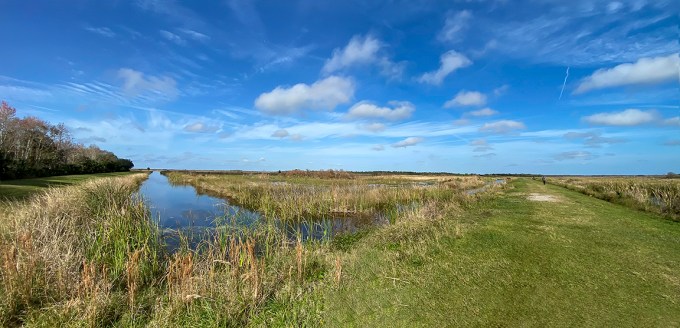
Another Multi-Image version of the same view. This time a one row, multi-image blend shot with the 1.5mm lens. (Each Image in Series Full Frame Equivalent 13mm)
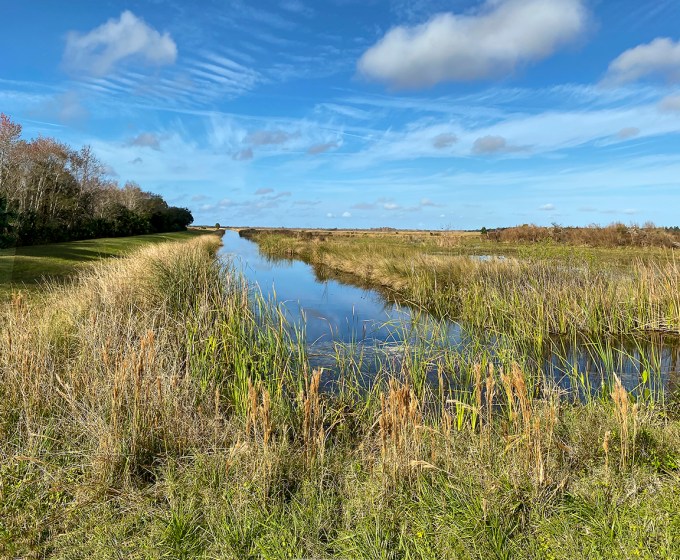
2 image iPhone panorama, shot with 4.3mm lens. (Each Image in Series – Full Frame Equivalent 26mm)
Female Anhinga Reflection Panorama
Posted on March 9, 2020

We were photographing this female Anhinga at J. N. Ding Darling National Wildlife Refuge and I really liked the Anhinga’s reflection and wanted to include it in the final image. So I shot 2 images to combine in Photoshop. I manually aligned the 2 images (300mm) and did a soft edge mask to blend the 2 images into the final image. Sometimes when you blend 2 images automatically in Photoshop, it distorts or greatly skews one of the layers so it looks strange. So manual alignment sometimes works best.

Closer Image, Single Female Cormorant Image with 400mm Canon DO lens with 1.4x Teleconverter , Canon 7D
26 Cormorants Panorama
Posted on February 29, 2020

The Winter months give me an opportunity to go through images I have not worked on before. This is a multi-image panorama from a past trip to the Edwin B. Forsythe National Wildlife Refuge in New Jersey. I thought it was interesting to see so many Cormorants lined up on these small pilings. Many times you see large groups even bigger than this group swimming in the channels here, but never saw this many in a group on pilings. 5 Images shot at 800mm, aligned and blended in Photoshop.
90 Cormorants Panorama From Brigantine
Posted on December 18, 2019

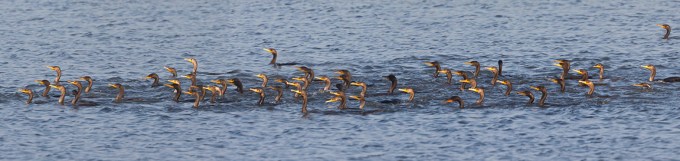
Now that I am retired, I have time to work on files from years ago that I had not finished or even gotten around to. The featured image is a 10 image panorama of a large group of Cormorants swimming down one of the channels along the Wildlife Drive at the Edwin B. Forsythe National Wildlife Refuge in Oceanville, NJ. I was on the Wildlife Drive photographing ducks when this group came by. I shot a series of 12 handheld overlapping images to get them all in as they were going by. There are 90 Cormorants visible but there are a few underwater, that surfaced after I had shot that area as I continued photographing the series. For some reason I always photograph my series for panoramas from left to right. Also most of my panoramas are handheld. Mainly because I am photographing something else when I notice an image that I think would make an interesting panorama. Photoshop usually does a good job aligning the images. For this image I was using a Canon 400mm DO Lens with a Canon 1.4X Teleconverter on a 1D MkIV body.
When shooting “moving” panoramas, I tend to try to overlap even more on each section. This helps when one section might have an element that is not what I wanted or liked and I would still have enough images to overlap for a finished image.
The finished panorama with black border (below) is 86 inches long x 21 inches high @ 250 ppi. If I ever print it, it would go even larger @ 150 or 200ppi.

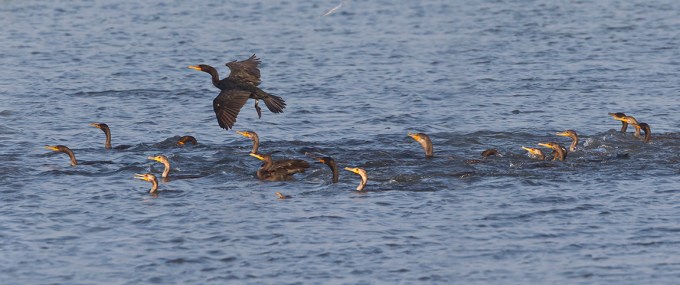
Cropped in sections from the panorama to show detail below.
Eastern Racer Snake Panorama
Posted on December 7, 2019
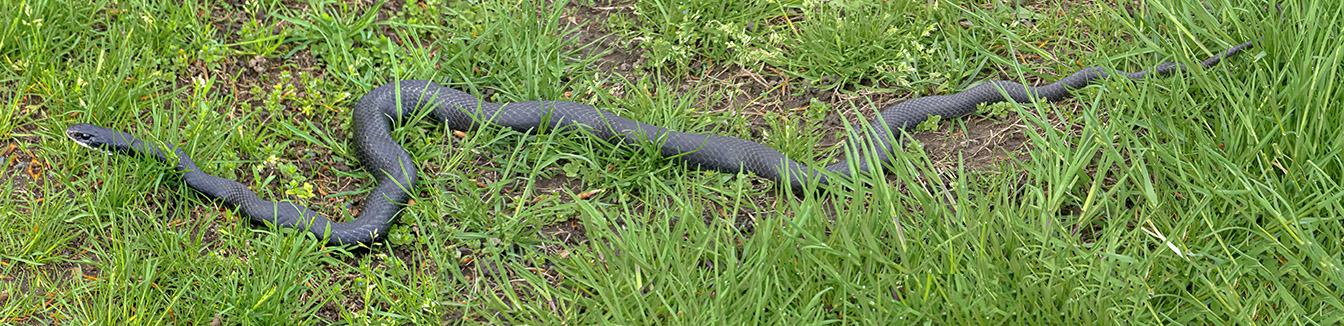
We were walking back through a local park to go home when we saw this Eastern Racer snake slithering by us. This was a few months ago so I am trying to catch up on some older files I had not gotten to. I was only carrying a m43 Olympus Camera with a 14-140mm lens. So I zoomed out to 14mm to get the whole snake but the Racer seemed very small in the frame with a lot of grass around it. So I changed my strategy and zoomed in and shot a 3 image series @ 140mm to assemble into a panorama to make the Racer Snake more prominent in the final image and still show the whole Racer snake. Then I got closer as it was going by to get a Portrait @ 140mm of the Racer’s head.

Eastern Racer Snake Portrait @ 140mm, m43 Camera
Panoramas Are Not Just For Landscapes
Posted on October 18, 2019
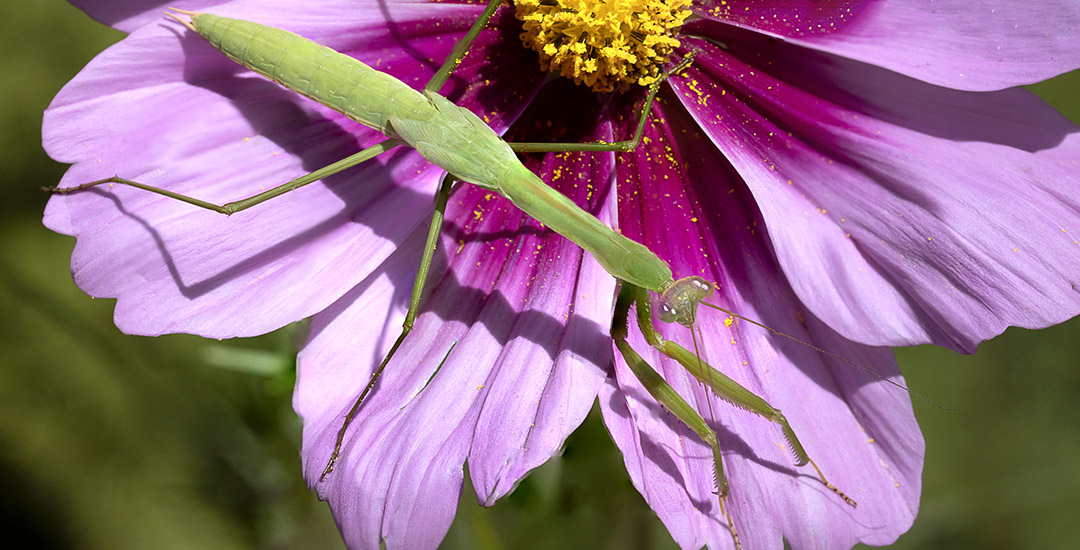
I am still going through images I photographed earlier in the Summer. The featured image is a panorama of a Praying Mantis in our garden at home. Using 3 images and assembled in Photoshop. It was a windy day so the flower it was on was blowing wildly in the wind. I had no way to stabilize the flower, so I was shooting bursts at a high shutter speed to hopefully get a sharp enough image and have the frames needed to blend together. I was shooting with a Sigma 150mm macro lens so the movement of the subject Mantis was all over in the frames. I was shooting bursts to hopefully get some in the frame and in focus and have enough to work with.
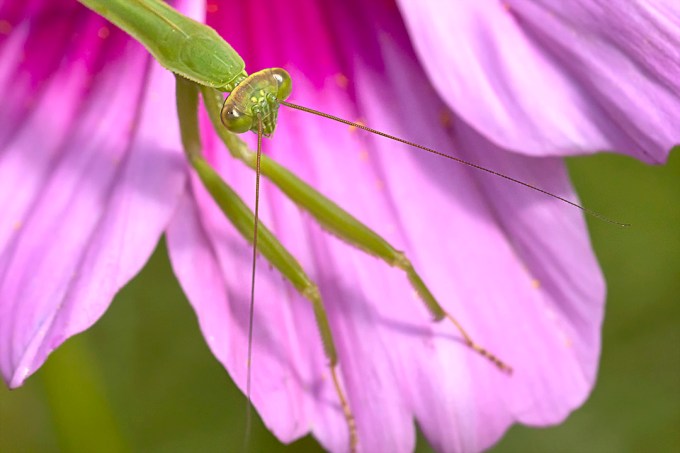
Single Image Closeup – 150mm Sigma Macro, Canon R, f/11, 1/400sec, 1600 ISO
 photoartflight