 photoartflight
Last Praying Mantis In the Gardens
Posted on October 19, 2020

The featured image is a stacked multi-image, multi-row Praying Mantis panorama. This was the last Praying Mantis I photographed in our gardens this year. We had quite a few throughout the summer, but this was the largest Mantis I photographed this year. The featured image is 8 images, shot in 3-multi-rows of overlapping images. I managed getting 3 images for the top row, 3 images for middle row & only 2 images for the bottom row before it moved. I was shooting handheld with a 300mm lens @ f/5.6 for a softer, smoother background since I wanted a blurred background not showing details of the flowers & siding on the house. I concentrated my focus on the head and front legs and so the yellow flowers behind the Mantis gave a bright pop of interesting color.

Dragons & Damsels Panoramas
Posted on June 19, 2020

Panoramas are not just for landscapes! I enjoy shooting panoramas for a variety of subjects. Plus they look interesting when you print them very large! Here are a series of multi-image Dragonfly & Damselfly Panoramas. I was using Canon & Panasonic Cameras, with a variety of lenses. The featured Blue Dasher Dragonfly image was 5 handheld images taken with a Canon 300mm lens, with extension tubes @ f/9, 1/250th sec. Then assembled and blended in Photoshop. When shooting panoramas handheld, I tend to overlap even more just to be safe & that I got enough overlap to blend nicely. I may not need them, but it helps if you do need more images when assembling them. The images below have some details on exposure & images shot per panorama.
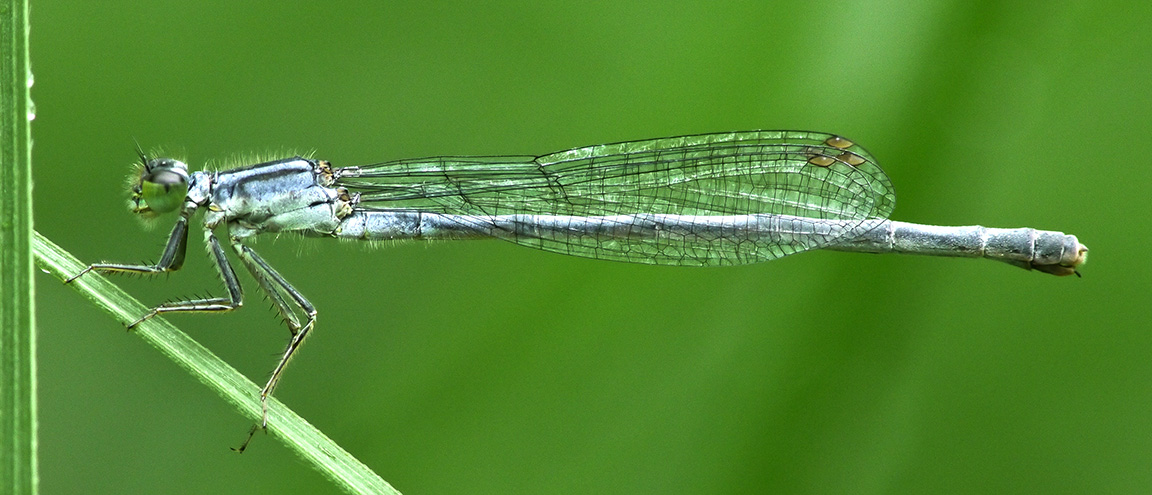
Eastern Forktail Damselfly, 4 image panorama, Panasonic GH2 with adapted Canon FD 200mm Manual Focus Macro lens, blended in Photoshop.
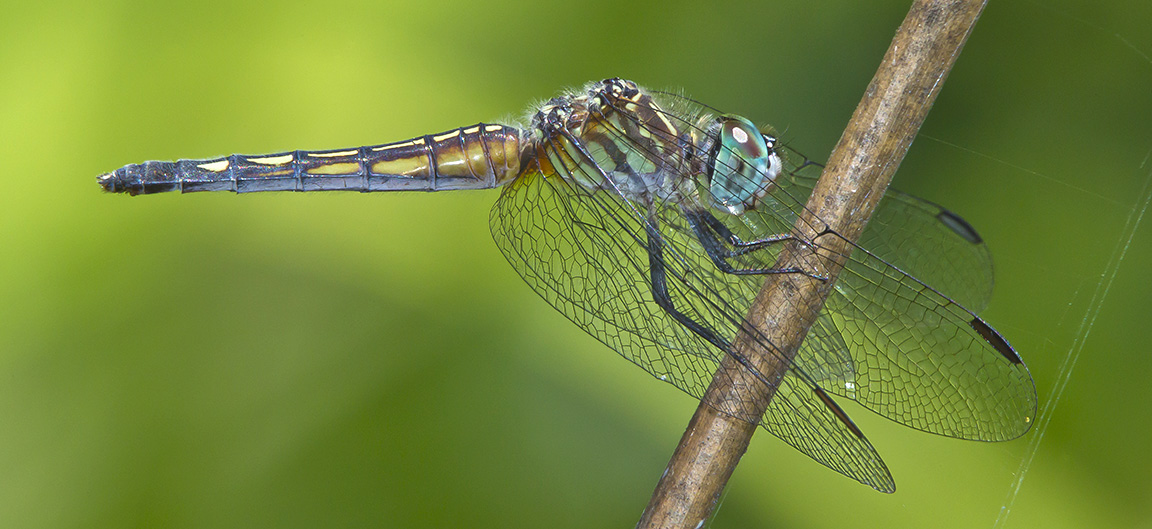
Blue Dasher, Female – 400mm DO lens with extension tubes, Canon 1D mkIV, 3 image panorama, f/11, 1/250

Eastern Forktail Damselfly, 3 image panorama, Panasonic GH2 with adapted Canon FD 200mm Manual Focus Macro lens
Bombay Hook National Wildlife Refuge Panoramas
Posted on March 1, 2020
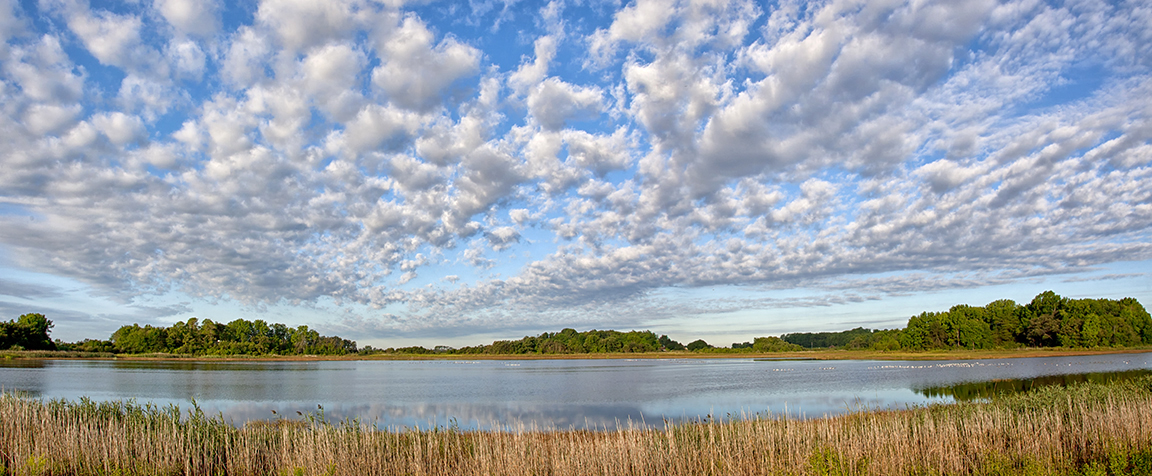
I am going through old files that I have not had a chance to work on before. These are from a visit years ago to Bombay Hook National Wildlife Refuge. The clouds were amazing on this visit so it was fun to do some panoramas. I photographed a series of handheld panorama landscapes but only worked on 1 of them back then. So here are a few more from that visit. Bombay Hook NWR is great for photographing multi-image landscapes because of the landscapes you see along the Wildlife Drive. On all the visits there we always saw amazing cloud formations. All images were taken with a 24-105mm lens @ 24mm, but the number of frames per panorama are varied. When shooting handheld panoramas you try to overlap somewhat equally, but it is better to shoot more than you think you need just to be safe. This way you have more frames to choose from when assembling the panorama. Once you get used to doing them you usually require fewer frames. The featured one is my original I posted then. The one below is a landscape made from 3 images, so there is more overlapping on each image.

3 images @24mm, but less overlapping of images and finished more to the right

Cloudscape Panorama across from entrance – 6 image panorama @ 24mm

Cloudscape Panorama across from entrance – 9 images @ 24mm
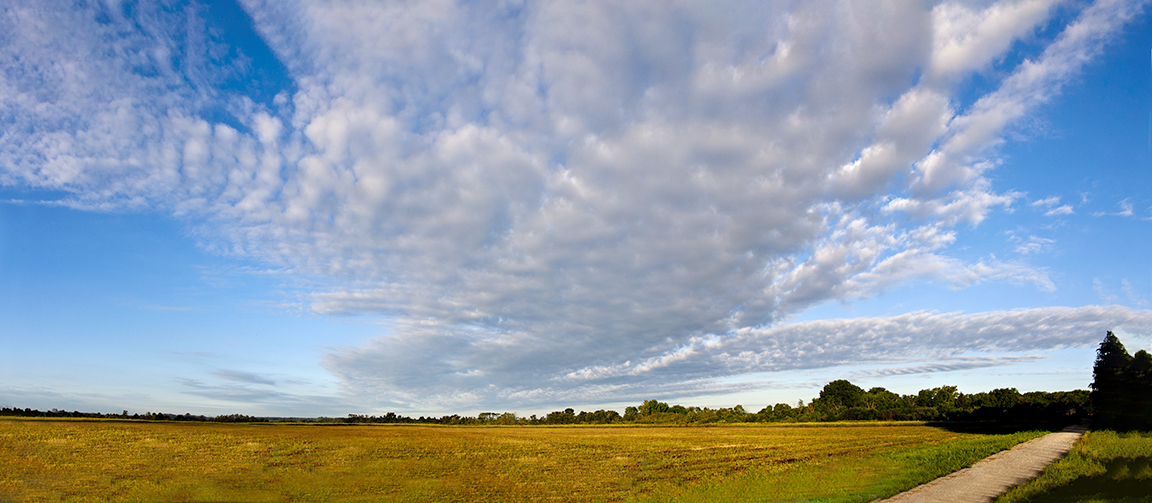
6 images (vertical) @ 24mm panorama to get more sky & clouds
More Sandhill Crane Mult-Image Panoramas
Posted on February 18, 2020
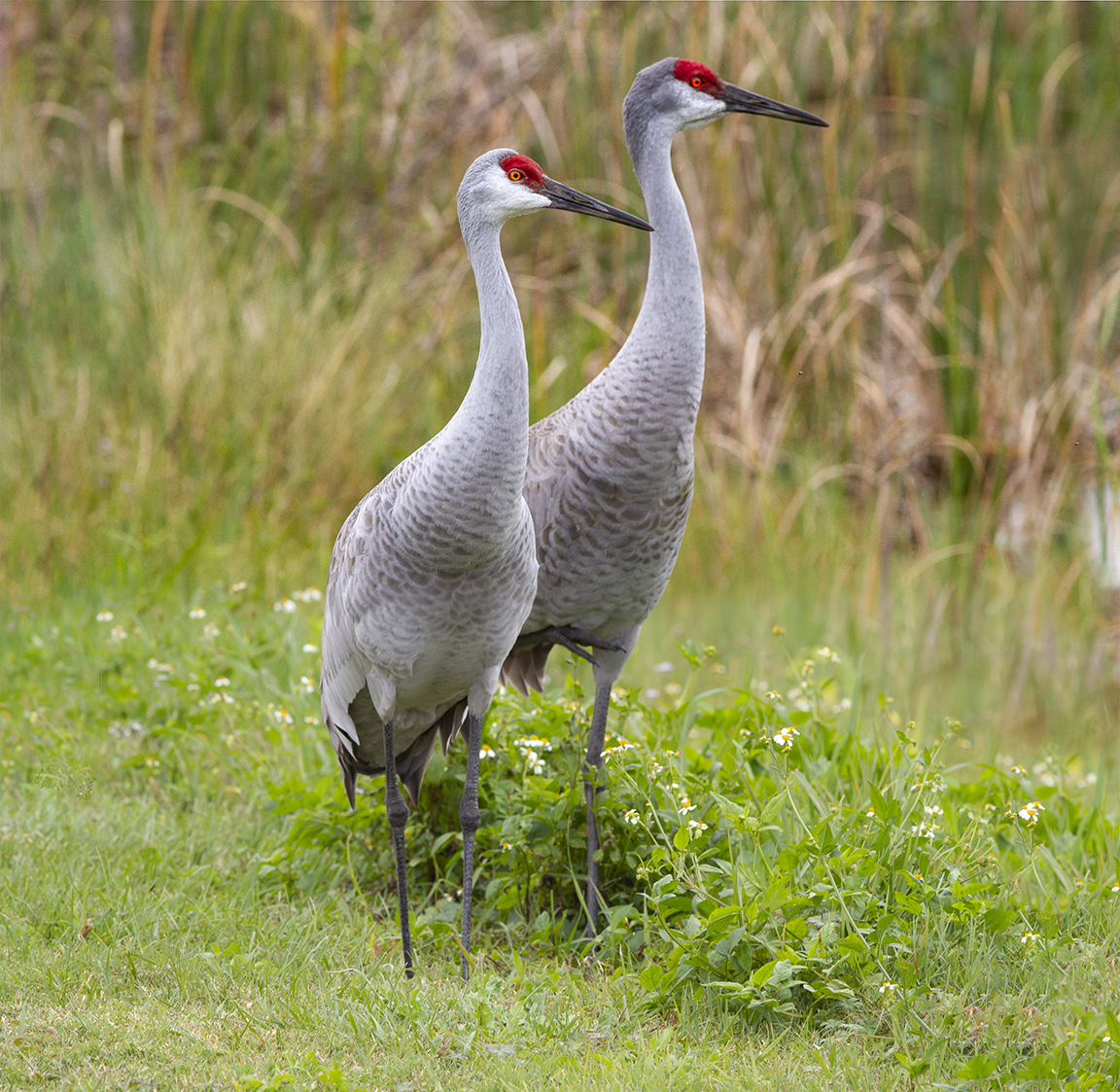
On our visit to Lake Woodruff NWR in DeLand Florida, it was amazing how the Sandhill Cranes seemed to not be bothered by people. But then again there were not many people around. So maybe they were just curious. We did not try to get close to them, but they walked right up to us as to check us out. We were a little nervous at first but they just seemed to be checking us out and went on their way foraging in the grass. It is a little intimidating to have such a large bird get that close to check you out. They are about 4 ft tall and have about a 7 ft wingspan. The trouble was I had to shoot series of panoramas to get the entire Sandhill Cranes in. Usually you can never get close enough to fill the frame with birds! The featured image is made from 2 images, @ 300mm and assembled in Photoshop. The amount of images per pano is also a guide as to how close they were to us! The more images per panorama the closer they were!
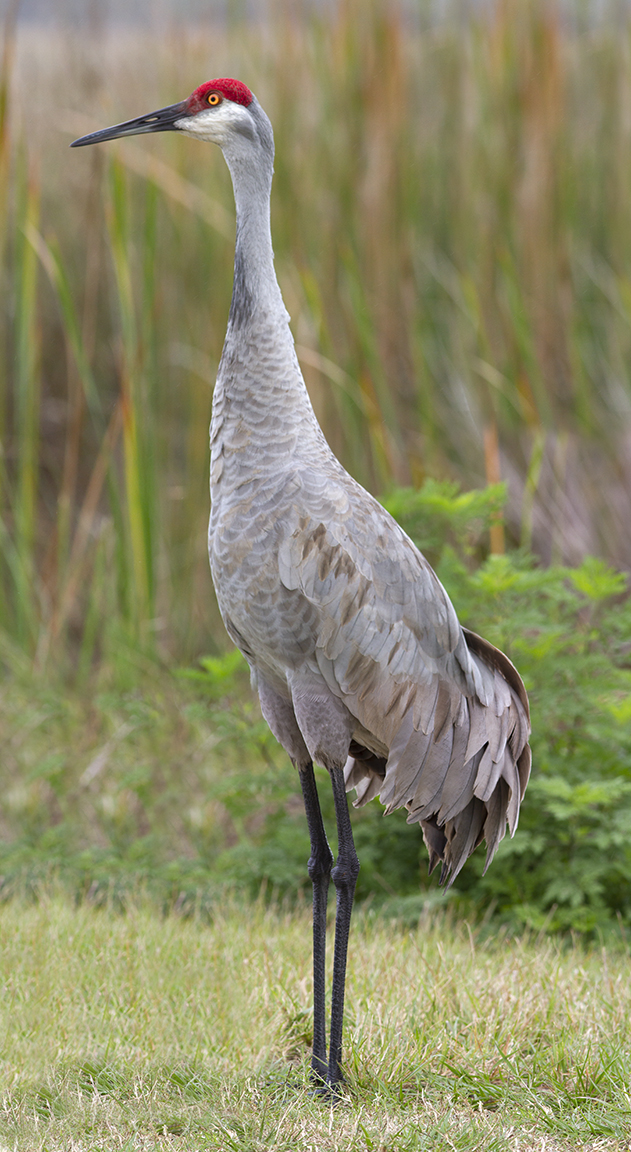
Sandhill Crane 2 Vertical Image Pano, 300mm Close Focusing lens

Screen Grab of Initial Setup letting Photoshop align and blend 5 handheld images before Photoshop filled in the blank areas with content aware fill feature.
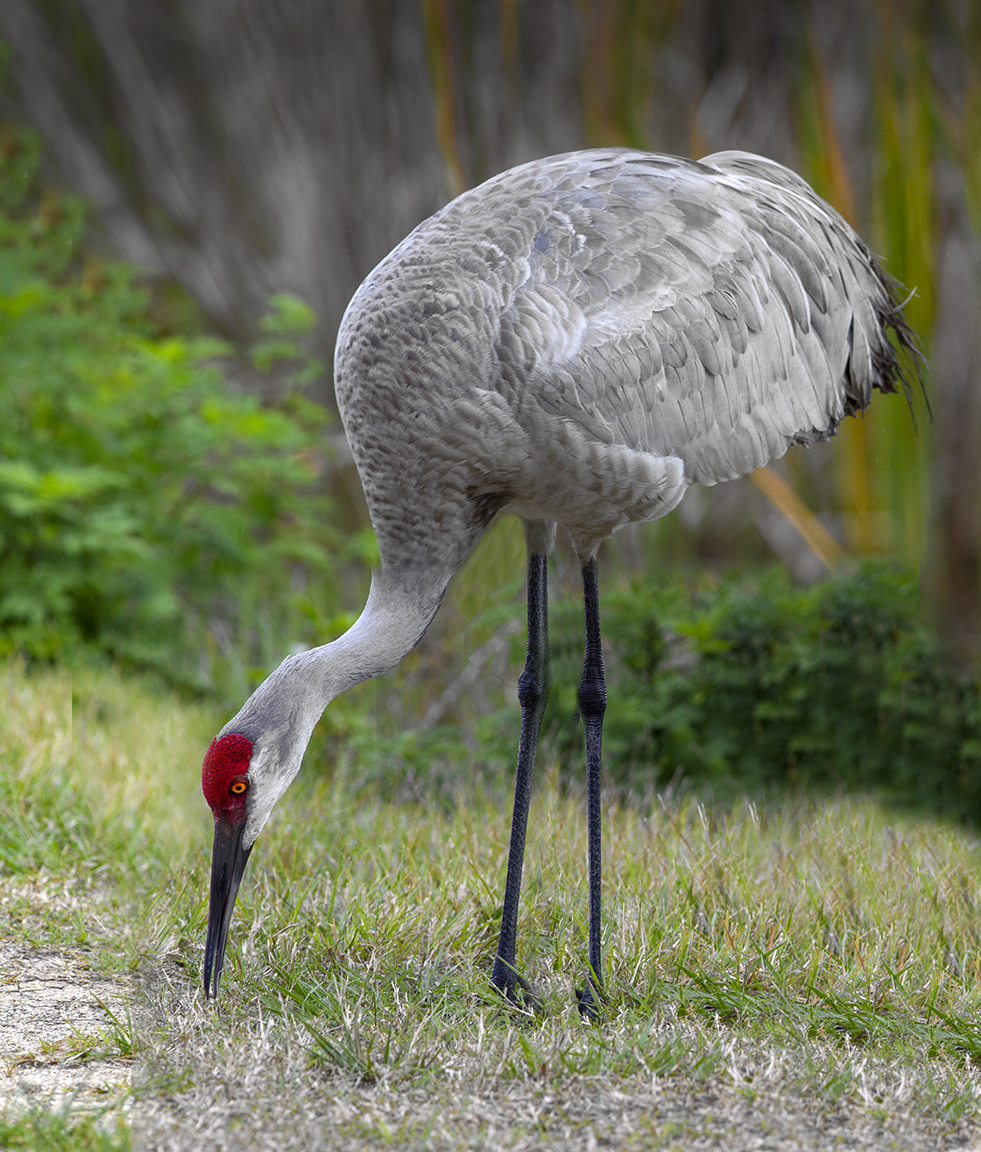
Final Image With content Aware Fill added and other adjustments for density, etc. added.
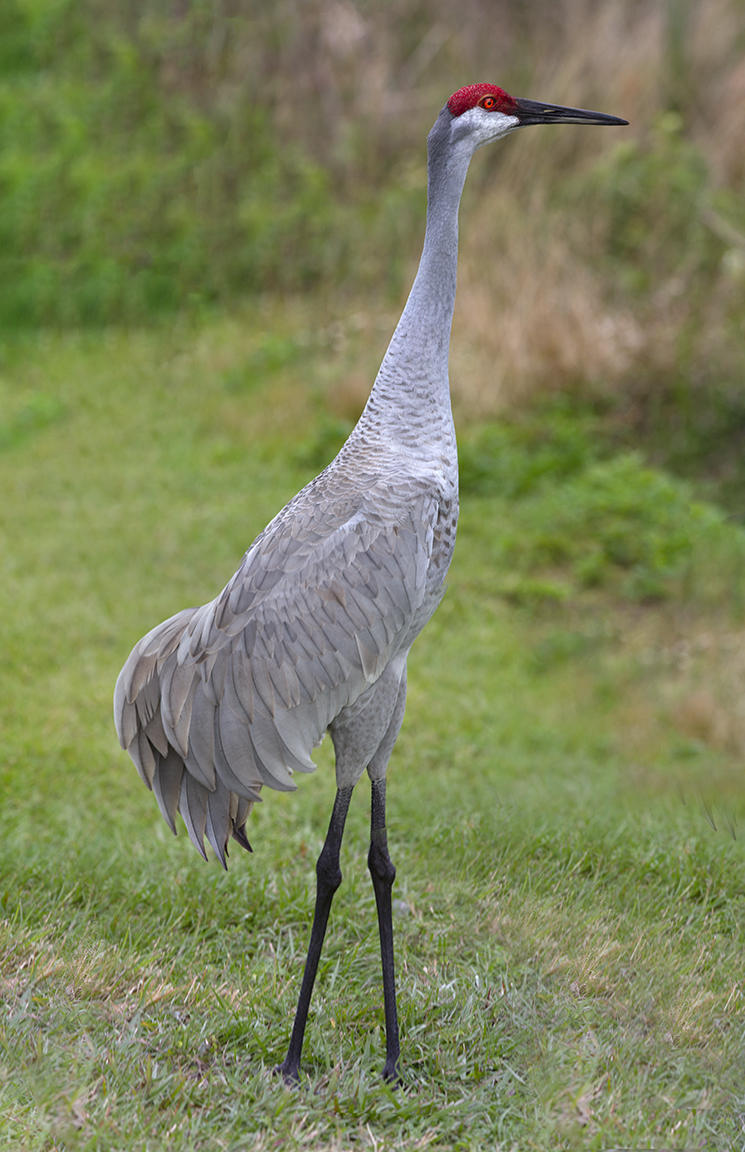
Sandhill Crane 8 image Panorama, 300mm lens
28 Great Blue Heron Landscape Panorama
Posted on December 11, 2019

Since the weather got colder I have been going through old files that I have not worked on before. I started with files from about 10 years ago taken at the Edwin B. Forsythe National Wildlife Refuge, Brigantine Division in Oceanville, NJ. The featured image is a panorama made with 14 images shot back then with a Canon EOS1D MkIII with a 400mm Canon DO lens showing 28 Great Blue Herons. Images (Raw files) shot handheld, and final image assembled,aligned and blended in Photoshop.

Example of 1 image of the 14 images used for the panorama

Smaller Panorama showing 11 Great Blue Herons. I tried first with 5 images before working on the larger version (Can you find the 11?)
Panoramas Are Not Just For Landscapes
Posted on July 8, 2019

Many times when I am out looking for bird photo subjects, I am usually using a 400mm lens with a 1.4x teleconverter. Sometimes I will also carry an Olympus m43 Camera with a 14-140mm lens for landscapes or views that I like that need a wider view, giving me a FOV equivalent to a full frame SLR of 28mm to 280mm. But if I am walking around a big area, I just carry the Canon body with the 400mm & 1.4x teleconverter. So when I come across a cooperative close bird or other interesting subject, I then shoot a series of images as quickly as I can, handheld. Using a tripod slows down the quick shooting process and I let Photoshop align them. Usually I try for at least 4 or 5, but have had some success with 2 or 3. Depends how cooperative my subject is. This immature Little Blue Heron was an example of one overly cooperative subject. I was at Ding Darling NWR and I was photographing birds that were out on a sand dune and this one kept coming up to me. There had been a few fishermen there before me and were feeding him fish. So I guess he thought I would do the same. After a while he just caught a lizard and wandered off. Then he kept wandering around the area behind me on the other side of the Wildlife Drive. He was looking for a meal so I shot a few quick series of different images for some panorama series. Some vertical, some horizontal. The trick to this is a series of images as quick as possible because the subjects usually are moving. Handheld images are then aligned in Photoshop and then retouched to add either a missing area of background or just fine tuning here and there. The featured image is a 2 image pano of the walking Egret. Below is a series of panorama images shot at 560mm, then assembled in Photoshop. Then blank areas outside the assembled image were filled in by Photoshop. Once you get used to using this technique, they seem to come out more consistently. This also gives you large files if you really want to print them large.
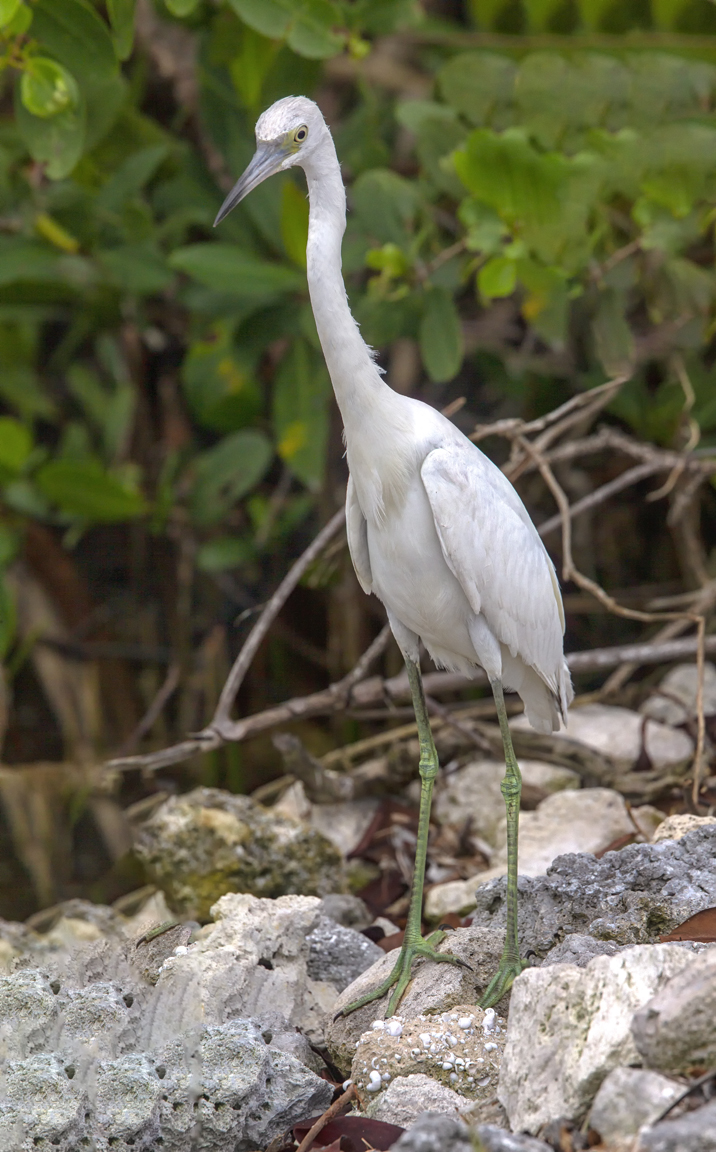
3 vertical images for panorama. Photoshop filled in blank areas.
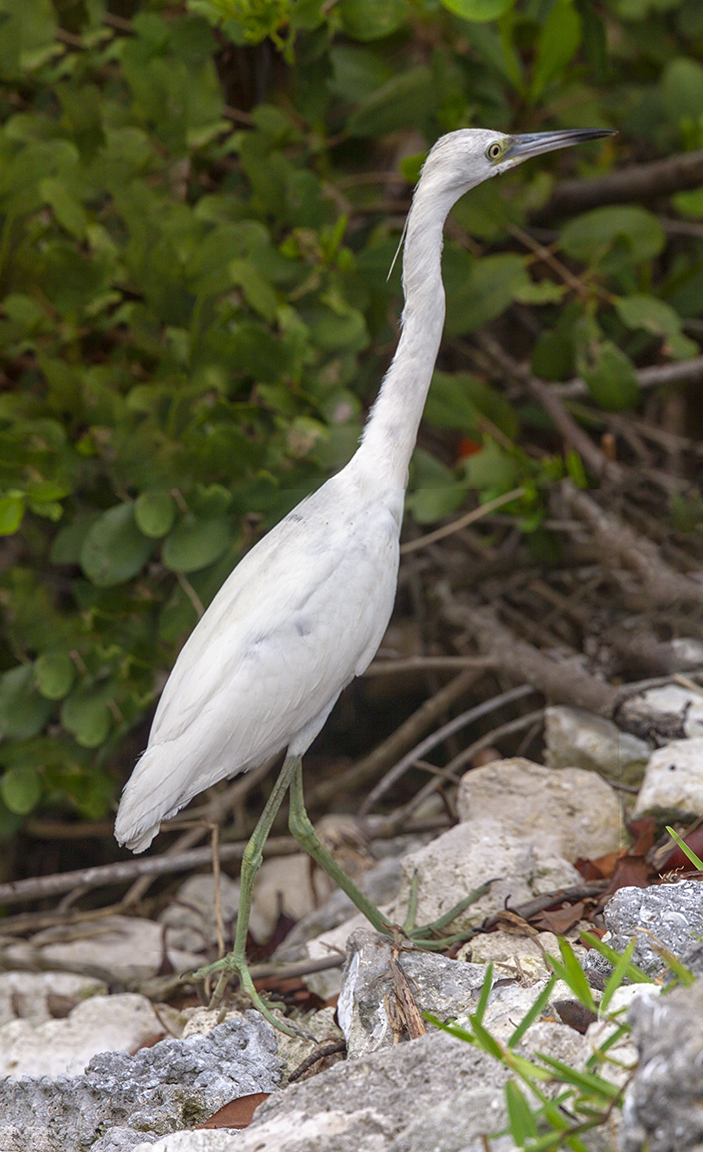
2 image vertical panorama
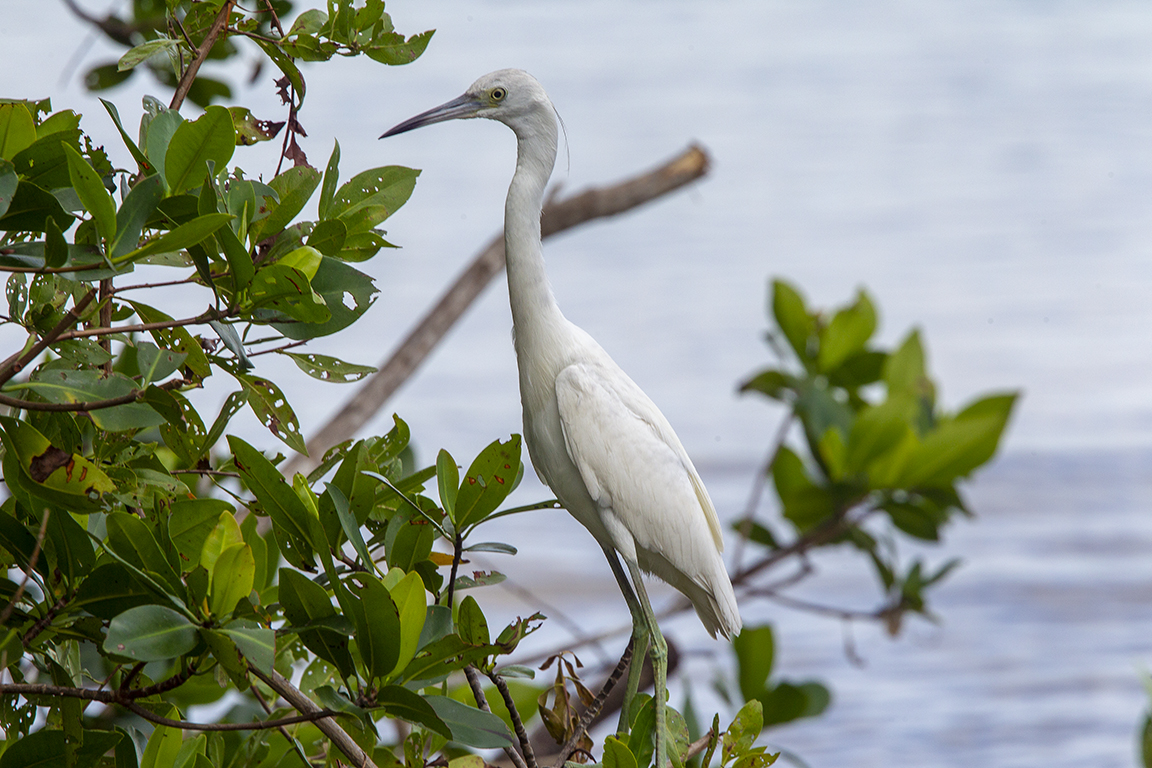
2 image short stack panorama
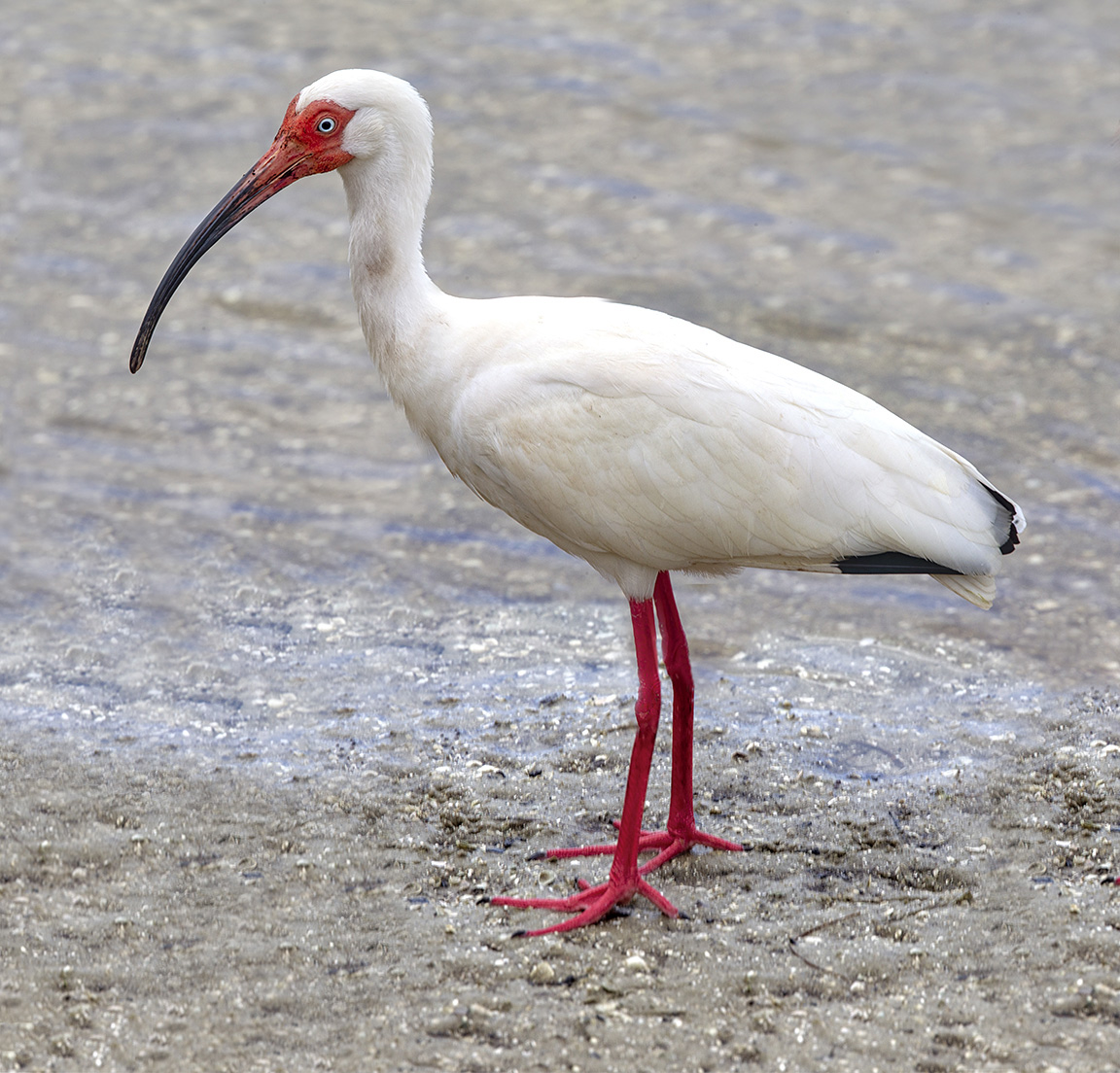
White Ibis – 2 horizontal Images for panorama
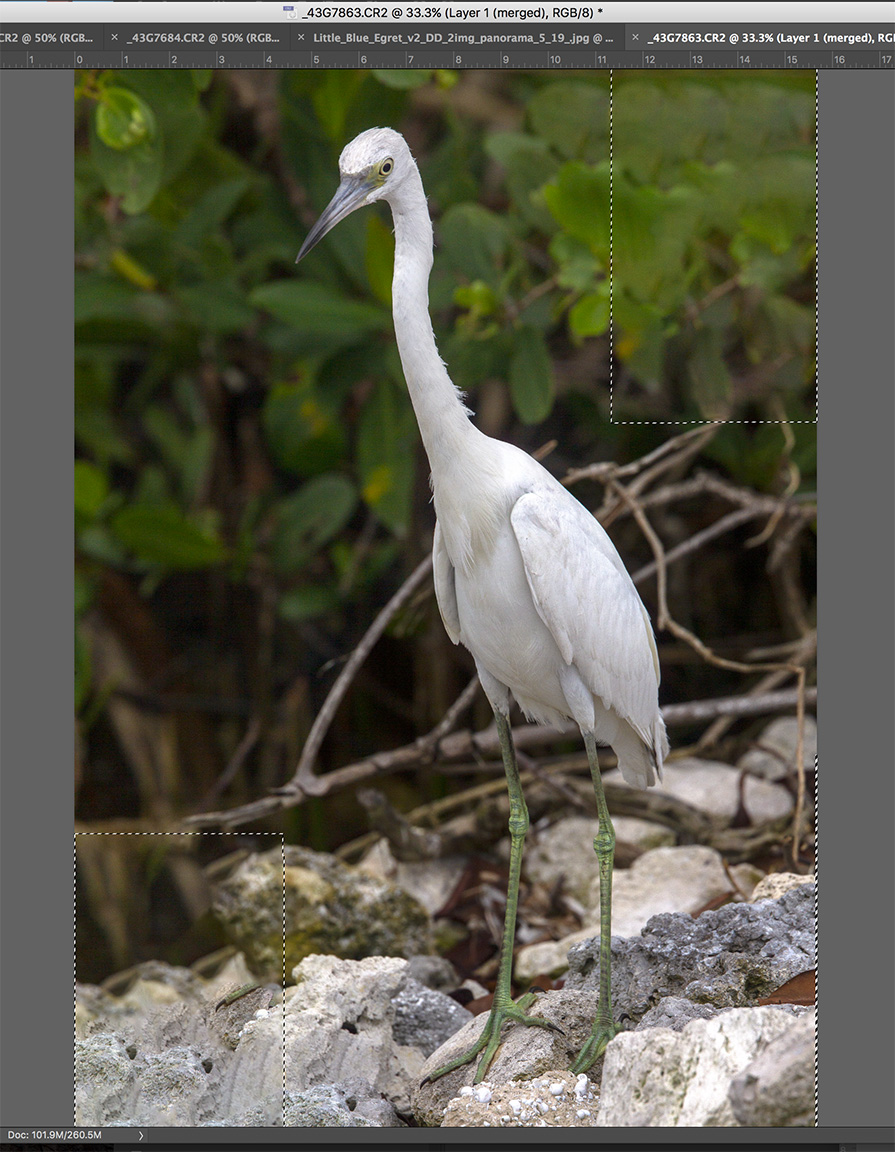
3 images assembled in Photoshop and blank areas (dotted line outlines) automatically filled in by Photoshop content aware fill.
Selecting images for the panorama in Adobe Bridge to import and assemble in Photoshop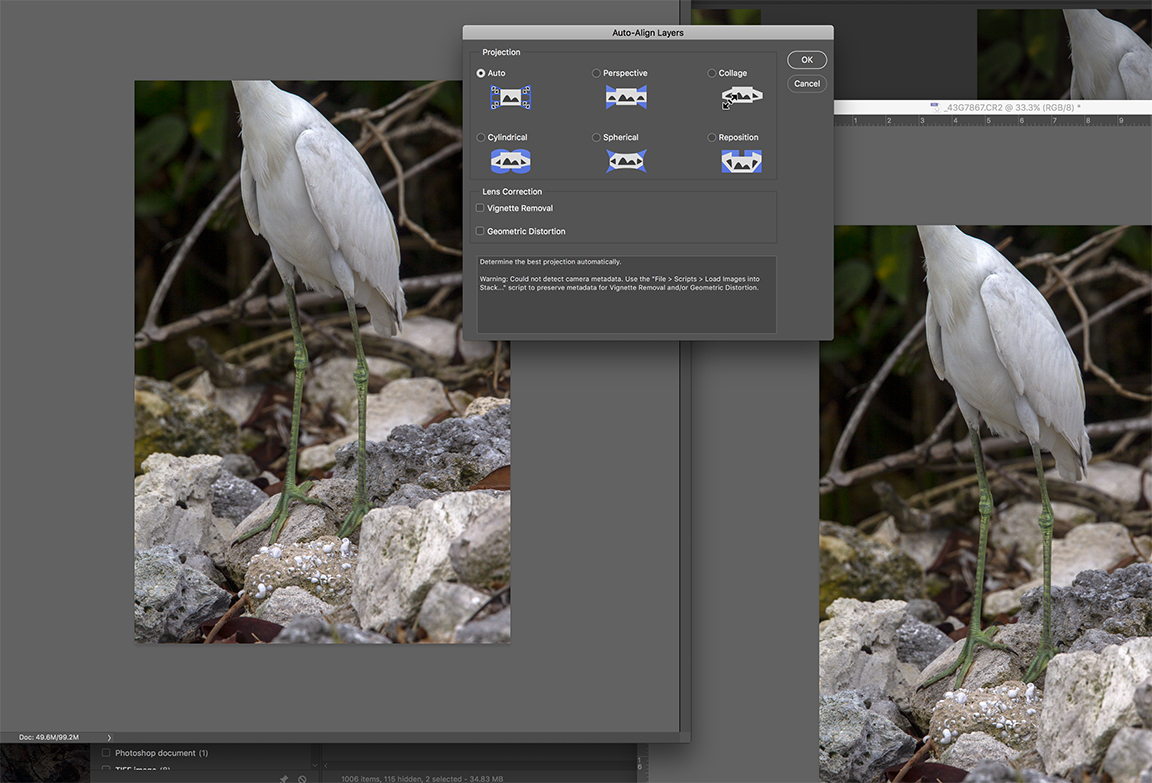
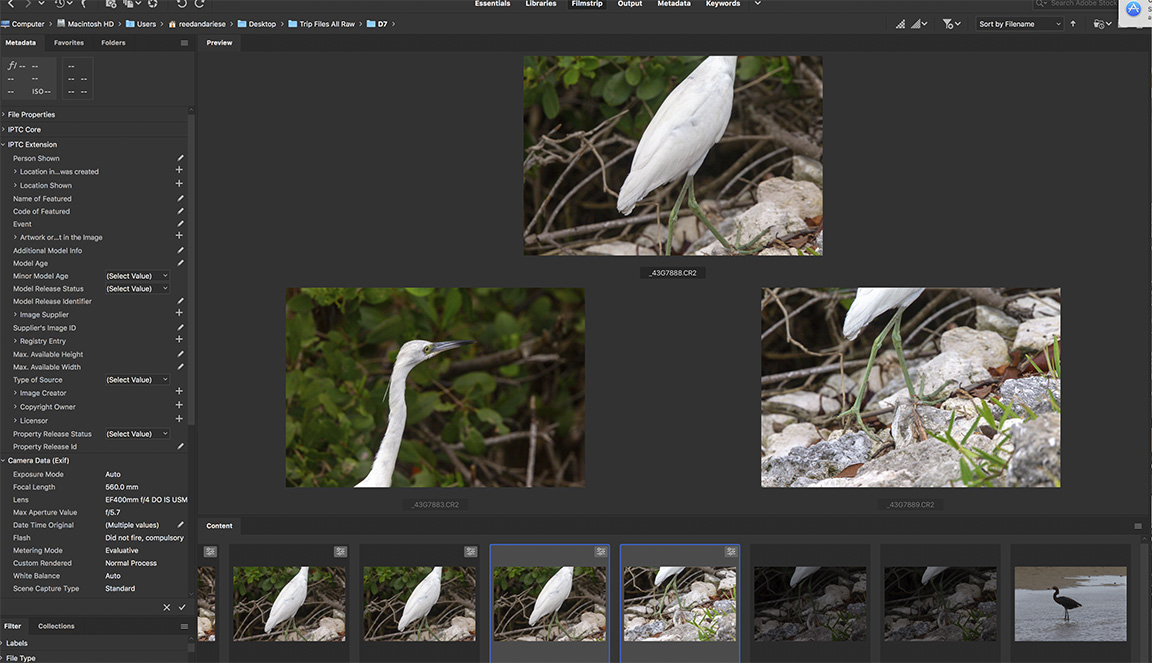
Images for panorama selected in Adobe Bridge
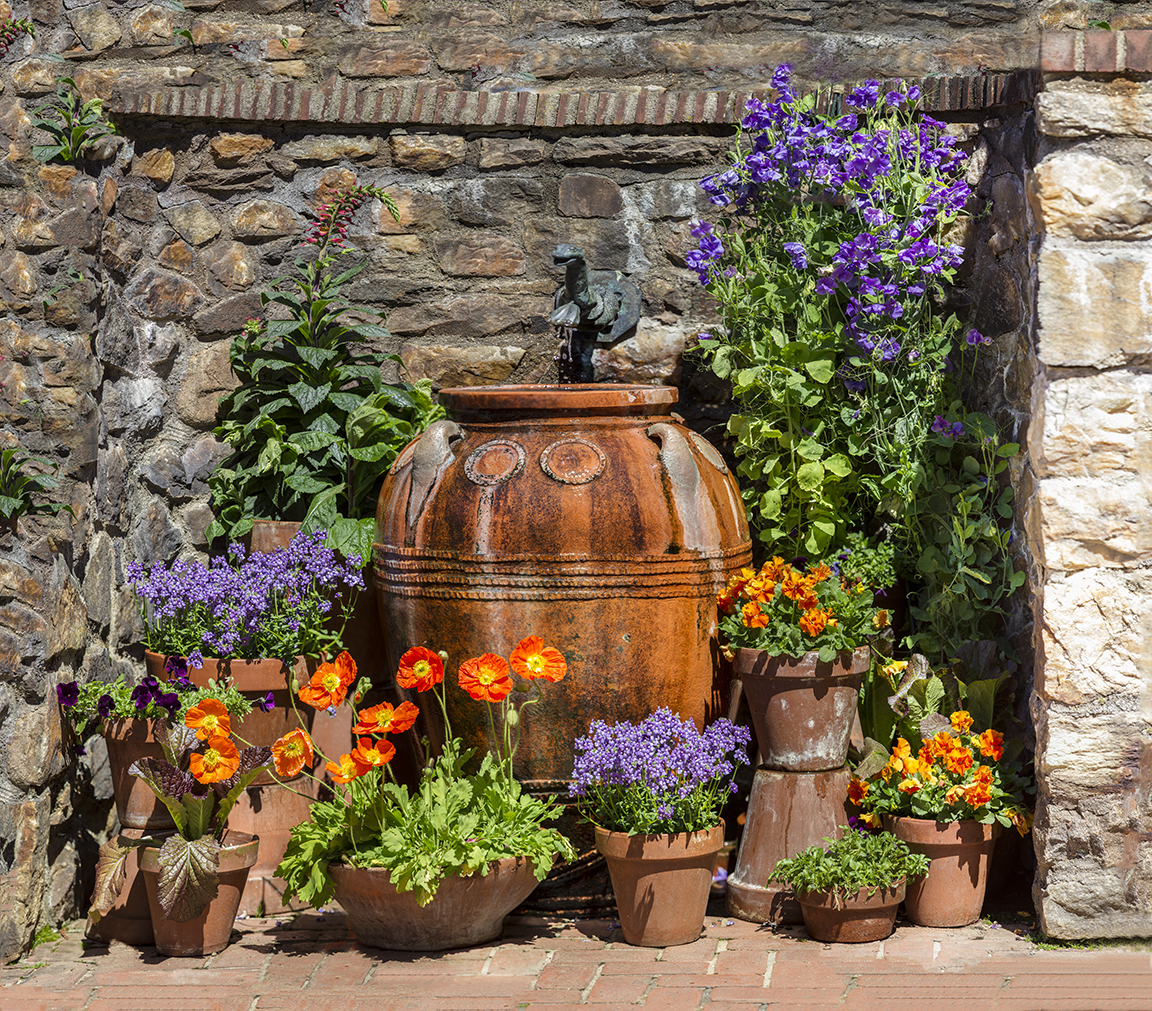
One of my largest, small area panoramas. 64 image panorama – shot with 300mm f/4 lens. Largest amount of layers for the size of the area shot. Multiple rows of multiple images. I over overlapped to make sure I got the most detail and also make sure it would all align for the final image. Not sure how long it took for Photoshop to align everything. After 3-4 hours I went to bed and it was done when I woke up. Then I did a few touch ups here and there.
Walk In the Woods Series #1
Posted on October 12, 2018

We enjoy walking along the paths at local parks and some go through the wooded areas. It is fun to look for little Photo Still Life images or Vignettes of natural details. It makes you look closer at what you are walking through. You never know what you will or can find. The only trouble is it is usually very dark for photographing my subjects. The featured image is a group of fungus on a tree trunk. I would usually use a tripod but on this walk I just had a 300mm lens so I raised my ISO to 6400 to get a high enough shutter speed even at f/4 for a sharp image in the tree covered woods. I shot 4 images, handheld, and focused on 4 different areas because I was shooting at f/4 to get the areas I wanted sharper and still get moody soft areas where I wanted. Then I aligned & assembled the 4 images in Photoshop for the final image.
Plant Panorama
Posted on June 20, 2018

I liked the shape and curves of this plant. But I wanted a clean background, so I used a long lens but shot wide open so I had a soft clean green background. Also 3 overlapping images which I then assembled in Photoshop. I did not want to back up and get it in one shot because then I would also have more depth of field which means more background detail which I did not want. The closer you get with a long lens, the smoother the background when you shoot with the aperture wide open. I liked the curves and details on the plant and the arched shape. Shot with a close focusing 300mm lens @ f/4.
Meeting House 4 Image Verical Panorama
Posted on May 27, 2018

This is a 4 Image vertical panorama of the Meeting House in the condo community we live in now. It is a multi-use building for the whole community and it reminds me of areas I used to like to photograph in New England when our children were small. They liked Old Sturbridge Village in Massachusetts among others. I tried a variety of ways to photograph this building to see which way I liked it best plus it gave me an opportunity to practice or try different effects and combinations.
For this image I shot 4 images, handheld, vertically at 24mm. I used a lot of overlap on each image because I was shooting at 24mm (vertically). It helps having a lot of overlap in the images when using a 24mm, it seems like Photoshop handles it better and you get less “distortion” in the combining of the separate images.
On this version the clouds were amazing, so I continued up to include a lot of clouds & sky.
It seems like the more you do of these panoramas the more you learn and have a higher success rate. Also if you are just walking around and traveling “light” with just one lens, it gives you more options for photo subjects.
Longwood Gardens Fountain Panoramas
Posted on April 25, 2018

I enjoy doing multi-image panoramas. It is sort of a challenge and I am usually trying different techniques to see what comes out the best. These are all shot with a m43 Camera @ 14mm with a series of handheld images. I tried a few different versions, a series of images shot with horizontal images for the pano and another with vertical images for a taller horizontal panorama. Then I also tried different ways in Photoshop to blend the images. Some I tried “Auto” for blending the different layers which usually works well. Photoshop tries to do what it thinks best for the assembly. In addition I also did the series with “cylindrical” assembly. I think I liked the pano done with 11 Vertical images. It usually works pretty well as long as you try to overlap your images quite a bit and try to keep a level horizontal line as you shoot the series. When you combine the layers of your pano in Photoshop, I usually also click on the box for content-aware-fill. It does a pretty good job of filling in blank areas that happen when Photoshop aligns everything and might have open areas on the borders or edges. Also it seems a little trickier with the m43 format instead of a regular DSLR. The more panos you try the more you seem to know if it is going to work in the end. It takes trial and error to get a feel for doing these and be somewhat confident it will turn out. I started doing these because I wanted to “travel” lighter without carrying a lot of lenses with me, Plus they are fun to do. So give it a try and do not get discouraged. After a few tries it gets easier to do and more predictable.
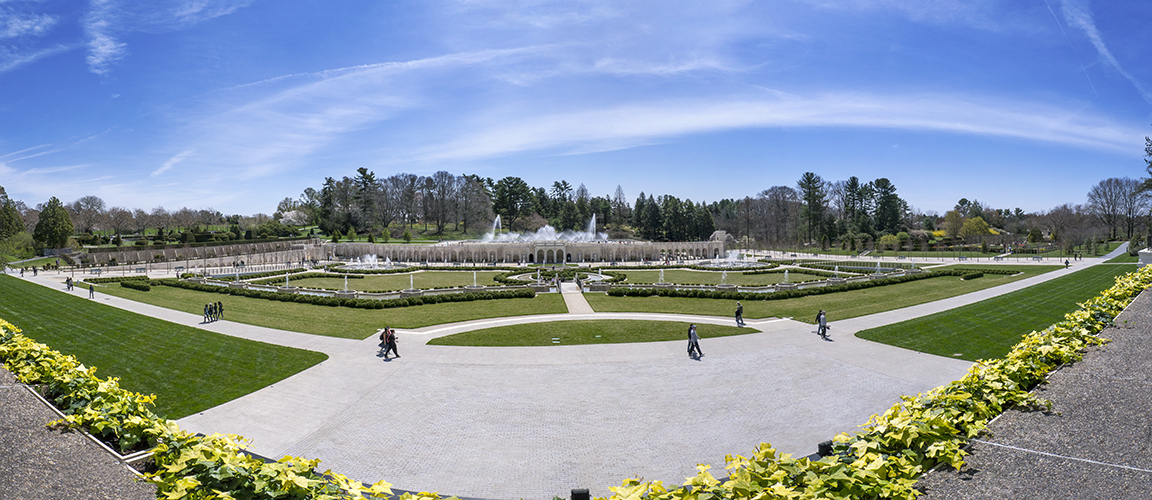
11 vertical images @ 14mm, m43
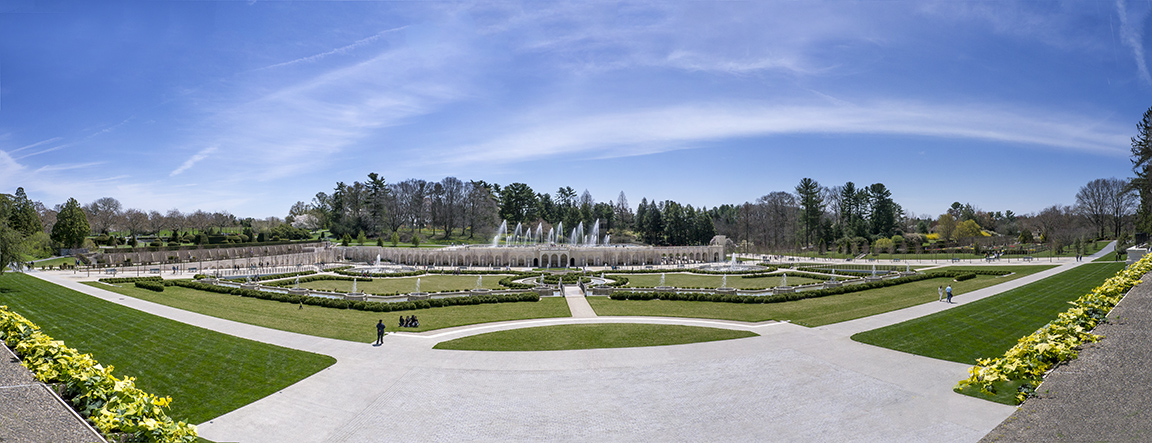
9 horizontal images @ 14mm, m43
 photoartflight